The Mistakes Small Businesses Make With Customer Support
A customer messages your Instagram at 9pm. You see it the next morning, reply, and hear nothing back. That silence is a sale your competitor just closed. Anyone weighing the market should also review Whatsapp Business API.
This article breaks down six customer support mistakes small businesses make, from treating support as a cost center to skipping response time tracking. You will learn why fragmented WhatsApp, Messenger, and Instagram inboxes cause missed messages, where automation helps without sounding robotic, and what to look for in a unified platform so you can pick a support setup that fits your budget and scale.
Why Small Business Support Failures Cost More Than They Seem
A single unresolved support ticket can cost a small business far more than the immediate refund or replacement. It can trigger a chain reaction that erodes trust, drives negative word-of-mouth, and inflates long-term acquisition costs.
Picture a customer who orders a product and simply wants to know when it will arrive. They send an email on Monday. No reply Tuesday. No reply Wednesday. By Thursday they post a frustrated comment on social media, where hundreds of people see it.
The order itself might be worth a modest amount. The damage from that one unanswered question is not.
Slow response time turns a routine question into a public complaint. What started as a simple order status inquiry becomes a story about how the business treats people.
Research consistently suggests that acquiring a new customer costs significantly more than keeping an existing one. Estimates often place the gap between five and twenty-five times, depending on the industry and the cost of marketing.
The same body of research indicates that a majority of customers, roughly two out of three, will leave after a single poor experience. That is a narrow margin of error for any small business.
These numbers matter because small businesses rarely have the customer volume to absorb losses quietly. Every departure is felt.
Support failures rarely announce themselves as line items on a profit and loss statement. There is no row labeled "customers lost to slow replies." The costs hide in plain sight.
They show up as a rising churn rate that no one can fully explain. They appear as repeat purchases that quietly stop happening. They surface as referral rates that slow to a trickle.
Consider how the damage compounds:
- A customer waits too long for a first response and decides not to buy again.
- That customer tells friends and family about the experience, shrinking the referral pipeline.
- Prospects who see public complaints hesitate before purchasing, raising acquisition costs.
- Support agents spend more time managing escalations, leaving less capacity for everyone else.
Each consequence feeds the next. A single bad interaction can influence dozens of future decisions, most of which the business never sees.
The tricky part is timing. A refund is visible immediately. Lost lifetime value unfolds over months, which makes it easy to dismiss or overlook.
Small businesses often measure success by revenue and ignore the customer journey that produces it. That blind spot is where support mistakes quietly do their worst work.
Poor communication also carries an internal cost. Support agents fielding complaints without proper tools or guidance burn out faster, and turnover adds recruiting and training expenses on top of everything else.
None of this means small businesses are doomed. It means the stakes are higher than a single ticket suggests, and the fixes are within reach.
The mistakes that follow are common, and more importantly, they are preventable. Slow response time, lack of training, missing self-service options, and weak follow-up all share one trait: they can be corrected before they cost another customer.
Recognizing the true price of support failures is the first step. The next is understanding exactly where small businesses tend to go wrong, and what to do instead.
Mistake 1: Treating Support as a Cost Center, Not a Growth Driver
When support is viewed only as a cost to minimize, leaders often underinvest in tools and training, ironically driving up long-term expenses through lost customers. That mindset treats every ticket as an expense line rather than a relationship worth protecting.
Consider a small e-commerce brand that cut support hours to save money. Over time, its repeat purchase rate fell, a loss far larger than the payroll it trimmed.
Every interaction is also a chance to upsell, gather feedback, or deepen loyalty. Support is a retention engine, not a necessary evil, and the sections below show how neglect quietly pushes buyers toward competitors.
How slow replies and unresolved tickets quietly drive customers to competitors
A customer who waits too long for a first response is more likely to switch to a competitor than one who hears back quickly. Expectations vary by channel, and small businesses are judged against all of them at once.
Common benchmarks for first response look like this:
- Live chat: under 2 minutes
- Email support: under 12 hours
- Social media: under 1 hour
When a ticket sits unresolved, frustration compounds. Customers open duplicate tickets, post public complaints, or simply stop buying, and each of those outcomes raises your effective churn rate without showing up clearly in a help desk report.
One small SaaS company cut its first response time significantly. Within a few months, churn dropped, showing that speed alone can move retention.
Actionable steps to close the gap:
- Set up auto-acknowledgments so no message goes unanswered.
- Use canned responses for common issues to speed up replies.
- Prioritize tickets by urgency inside your ticketing system.
- Track first response and resolution time as core KPIs.
Unresolved tickets are silent churn drivers. They rarely announce themselves as complaints, yet they steadily erode customer satisfaction and trust. A prompt, human reply is often the cheapest retention tool a small business owns.
Mistake 2: Spreading Conversations Across Too Many Unconnected Channels
Managing support across WhatsApp, Instagram, Facebook Messenger, email, and phone without a unified view is a recipe for missed messages and duplicate work. A customer might message on Instagram, wait, then send an email, and finally call, repeating the same issue each time because no one has context.
This fragmentation creates slow response times and frustrated support agents who must ask the same questions repeatedly. The customer experience suffers, and customer satisfaction drops as a result.
When conversations live in separate silos, building a complete picture of the customer journey becomes nearly impossible. This sets the stage for the specific problems explored below.
Why fragmented WhatsApp, Instagram, and Messenger inboxes cause missed messages
When each messaging app lives in its own silo, agents must constantly switch tabs, and messages slip through the cracks during peak hours. A WhatsApp notification may go unanswered while an agent responds to an Instagram DM, leading to delayed replies and duplicate responses.
Research suggests that a significant share of businesses name channel fragmentation as a top support challenge. Consider a small retailer who missed a large share of Instagram inquiries during a flash sale because staff were focused entirely on WhatsApp. Those missed messages represent lost sales and damaged trust.
A unified inbox solves this by aggregating every conversation into one dashboard. Agents can assign tickets, preserve context, and avoid asking customers to repeat themselves. This approach can reduce average handling time, according to industry estimates.
When evaluating platforms, look for one that connects the following into a single view:
- WhatsApp Business
- Facebook Messenger
- Instagram DM
- Web chat
Connecting these channels ensures no message is abandoned and every customer receives a consistent, timely response.
Mistake 3: Ignoring Response Time Expectations on Messaging Apps
Customers now expect a reply within minutes on messaging apps, and waiting hours feels like being ignored. On WhatsApp and Facebook Messenger, users typically expect a quick response. On Instagram DMs, the window stretches a little further, but not much.
These are not arbitrary numbers. They reflect how people use these channels in daily life: quick, casual, and immediate. A small business that treats a WhatsApp message like an email will fall short of customer expectations before the conversation even gets going.
Research suggests that speed shapes perception. A large majority of consumers say fast responses on social media make them more likely to recommend a brand. In other words, slow response time does not just frustrate one customer. It quietly reduces word-of-mouth referrals, which many small businesses depend on.
When replies take too long, the damage compounds. Customers often abandon the conversation entirely and take their question to a competitor. Others vent publicly, posting negative comments where future buyers can see them.
This is the sharp edge of social media for a small business. A private email that goes unanswered stays private. A Messenger thread that sits idle can turn into a visible complaint thread within hours, and that content is searchable and shareable.
The result is a double hit: a lost sale plus a public dent in reputation. Over time, this pattern feeds a higher churn rate, since customers who feel ignored rarely come back to test the business again.
Closing the gap does not require a large support team. It requires a system that acknowledges, sorts, and routes messages quickly. Three tactics cover most of the ground:
- Auto-replies for instant acknowledgment. A short message confirming receipt and setting a timeframe buys goodwill while a human gets to the query.
- Chatbots for common questions. Order status, hours, and return policies can be answered instantly, freeing support agents for harder problems.
- Fast routing to humans. Complex or emotional queries should reach a person quickly, with the earlier context attached so the customer does not repeat themselves.
Together, these steps protect first response time without stretching staff thin. They also create a record of frequent questions, which can later feed a knowledge base or FAQ page and reduce repeat volume.
Consider a small bakery that sold custom cakes and handled orders through Instagram DMs. Messages piled up during baking hours, and replies often took hours. Customers moved on, and some left public comments about being ignored.
After setting up an auto-reply with ordering steps and a chatbot for pricing and lead times, the bakery cut typical response time substantially. Repeat orders rose, largely because customers trusted that someone was paying attention.
The lesson is not the specific tool. It is that quick acknowledgment changes how customers read the entire experience. A fast reply signals competence before the product is even delivered.
One final tip: display expected response times openly, such as "we reply within 30 minutes during business hours." This small act of transparency manages expectations and prevents frustration when volume spikes.
Mistake 4: Relying on Manual Replies When Volume Grows
As order volumes rise, manual replies become unsustainable-agents burn out, and response times balloon. What worked at a dozen inquiries a day collapses once daily messages climb, and that is exactly when customers grow most impatient.
Errors multiply too. A missed email support ticket or a forgotten follow-up turns a routine question into a complaint, and slow response time quietly drives up churn rate. Hiring more agents helps, but only up to a point.
Automation is the practical answer for repetitive work, and it does not have to feel robotic. The trick is deciding what machines handle and what stays with people.
Where automation helps without making support feel robotic
Automation can handle repetitive questions instantly, freeing agents to focus on complex issues that require empathy and judgment. The best candidates are predictable, high-frequency topics that rarely need nuance.
- Order tracking and delivery status updates
- Return and refund policies, including how to start a return
- Store hours, locations, and contact details
- FAQ answers on warranty terms, shipping costs, and payment options
These questions make up a large share of daily volume, yet each one takes an agent minutes to answer. A well-built chatbot or self-service knowledge base resolves them in seconds, at any hour, without a queue.
Design matters as much as function. A friendly tone, personalized greetings that use the customer's name, and quick-reply buttons all make the experience feel considerate rather than cold. Critically, every flow needs a visible path to a human. Escalation should be one tap away, and the bot should hand over context so the customer never repeats themselves.
One small online store added a chatbot for order status questions and saw live chat volume drop while maintaining strong customer satisfaction. The lesson: automation absorbed the repetitive work, and agents spent their time on issues that actually needed a person.
Over-automation is the real danger. Trapping customers in a bot loop with no escape breeds frustration fast, and that frustration shows up in complaints and lost retention. Train bots on real customer questions pulled from your help desk and ticketing system, then review and update them regularly as new pain points appear. Treat the bot as a living part of your customer support, not a set-and-forget tool.
Mistake 5: No Self-Service or Order Update Options for Common Questions
When customers can't find answers on their own, they flood support channels with repetitive questions, driving up costs and wait times. A single unanswered question about shipping or returns can tie up a support agent for several minutes. Multiply that across dozens of customers a day, and the impact on a small business becomes clear.
Research suggests that a large majority of customers prefer self-service over speaking to an agent when their question is simple. These are people who want a quick answer to a straightforward question, not a conversation. When a business offers no self-service path, customer satisfaction drops and churn rate rises, often for reasons that had nothing to do with the product itself.
The fix is not complicated. It starts with understanding which questions come up again and again, then building simple tools that answer them before a customer ever needs to reach out.
Three core self-service components cover most common needs:
- Searchable knowledge base: A collection of articles that answer detailed questions about your products, policies, and processes.
- FAQ page: A short, scannable page covering the questions your support team hears most often.
- Automated order tracking: A tool that lets customers check order status, shipping updates, and delivery estimates without contacting anyone.
Consider a small boutique that kept fielding the same question: "Where is my order?" After adding a simple order tracking widget to its website, the business cut support tickets significantly. The widget did not replace the support team. It simply removed a repetitive task so agents could focus on issues that actually needed a human response.
Getting started does not require a large budget or a complex help desk setup. Follow these steps:
- List the top 10 most common questions your team receives.
- Write clear, plain-language answers for each one.
- Place links to those answers prominently on your website, in order confirmation emails, and on your social media profiles.
Two details are easy to overlook. First, self-service options must be mobile-friendly, since many customers will look for answers on a phone. Second, the content needs regular updates. Policies change, shipping times shift, and outdated answers create more frustration than having no answer at all.
One caution matters here. Self-service should complement human support, not replace it. Complex issues, complaints, refund disputes, and emotional situations still need a trained agent who can listen and respond with empathy. A knowledge base handles the routine. People handle the rest.
Mistake 6: Skipping Measurement - No Tracking of Response Times or Resolution Rates
You can't improve what you don't measure, yet many small businesses have no idea how long it takes to resolve a ticket or how many customers leave unsatisfied. Support feels busy, so owners assume it is working. Without numbers, that assumption hides slow response time, repeat complaints, and a quietly rising churn rate.
Measurement turns customer support from a guessing game into a manageable process. A handful of support KPIs reveal where the customer journey breaks down and where a small fix pays off fastest.
The core metrics worth watching are straightforward:
- First response time: how long a customer waits for a human reply after reaching out through live chat, email support, or social media.
- Average resolution time: how long it takes to fully close a ticket, not just acknowledge it.
- Customer satisfaction (CSAT): a simple post-interaction rating that shows how people felt about the help they received.
- Ticket volume: how many requests arrive, and how they split across topics like refunds, returns, warranty questions, or complaints.
Tracking these does not require an expensive stack. A help desk or ticketing system with built-in analytics will log them automatically. A small team can start with a shared spreadsheet, noting the open date, first reply, close date, and a one-line outcome for each request.
As a rough guide, well-run small businesses aim for a first response under one hour and full resolution within a day. These are targets to work toward, not universal truths. What matters more is consistency and steady improvement over your own baseline.
Consider a small agency that began tracking CSAT alongside resolution time. When it reviewed the data, most of its negative feedback traced back to tickets that sat open for a long time. The problem was not agent skill or empathy. It was delay. Once the team flagged aging tickets and reassigned them, satisfaction scores climbed without hiring anyone new.
To put measurement into practice:
- Set weekly targets for first response and resolution time, and post them where support agents can see them.
- Review the metrics in team meetings, focusing on trends rather than blame.
- Read the comments behind low CSAT scores to spot patterns, such as unclear tone, missed follow-up, or weak escalation.
- Use those patterns to guide training, update the knowledge base and FAQ, or add self-service and automation where questions repeat.
Metrics also feed a smarter knowledge base and CRM setup. If the same questions keep arriving, a clear FAQ page or a chatbot for simple requests frees agents for complex cases. That is how personalization and faster resolution time reinforce each other.
The habit matters more than the tool. Pick a few KPIs, track them every week, and act on what the numbers show. What gets measured gets managed, and managed support is what keeps customers from walking away.
How a Unified Platform Approach Fixes These Mistakes
A unified support platform brings all conversations, automation, and analytics into one place, eliminating the root causes of the six mistakes. When every message from WhatsApp, social media, live chat, and email lands in a single view, nothing slips through the cracks and response times drop naturally.
Automation handles repetitive questions, so support agents can focus on complex issues that need empathy and judgment. Built-in dashboards then turn raw conversation data into feedback you can actually act on, closing the loop between customer satisfaction and business decisions.
The two sections below cover what to look for in a unified tool and how Com.bot delivers these capabilities.
What to look for: multi-channel inbox, bot builder, and payment support in one tool
The right unified platform should offer a shared inbox for WhatsApp, Facebook, Instagram, and web chat, plus a visual bot builder and native payment capabilities. These three features address fragmentation, slow response time, and manual transaction handling at once.
A shared inbox prevents missed messages because every agent sees the same conversation history. A drag-and-drop bot builder enables automation without coding, so small teams can launch chatbots for FAQs and order tracking without hiring developers. Native payment processing streamlines transactions, letting customers pay for WhatsApp orders without leaving the chat.
Use this checklist when evaluating platforms:
- Does it support the WhatsApp Business API for reliable, official messaging?
- Can it assign tickets to specific support agents and track resolution time?
- Does it offer real-time reporting on first response and customer satisfaction?
- Does it work together with your existing CRM and help desk tools?
- Can the bot builder handle escalation to a human agent when needed?
Integration with your current CRM and help desk matters because it keeps the customer journey visible across departments. A platform that connects to your existing stack avoids duplicate data entry and gives agents full context.
Prioritize platforms that scale with your business. A tool that works for five agents should still work for fifty without a painful migration. Look for pricing that grows predictably and features that unlock as your support needs evolve, from basic live chat to omnichannel automation.
Where Com.bot fits: unified WhatsApp, Facebook, and Instagram support with automation
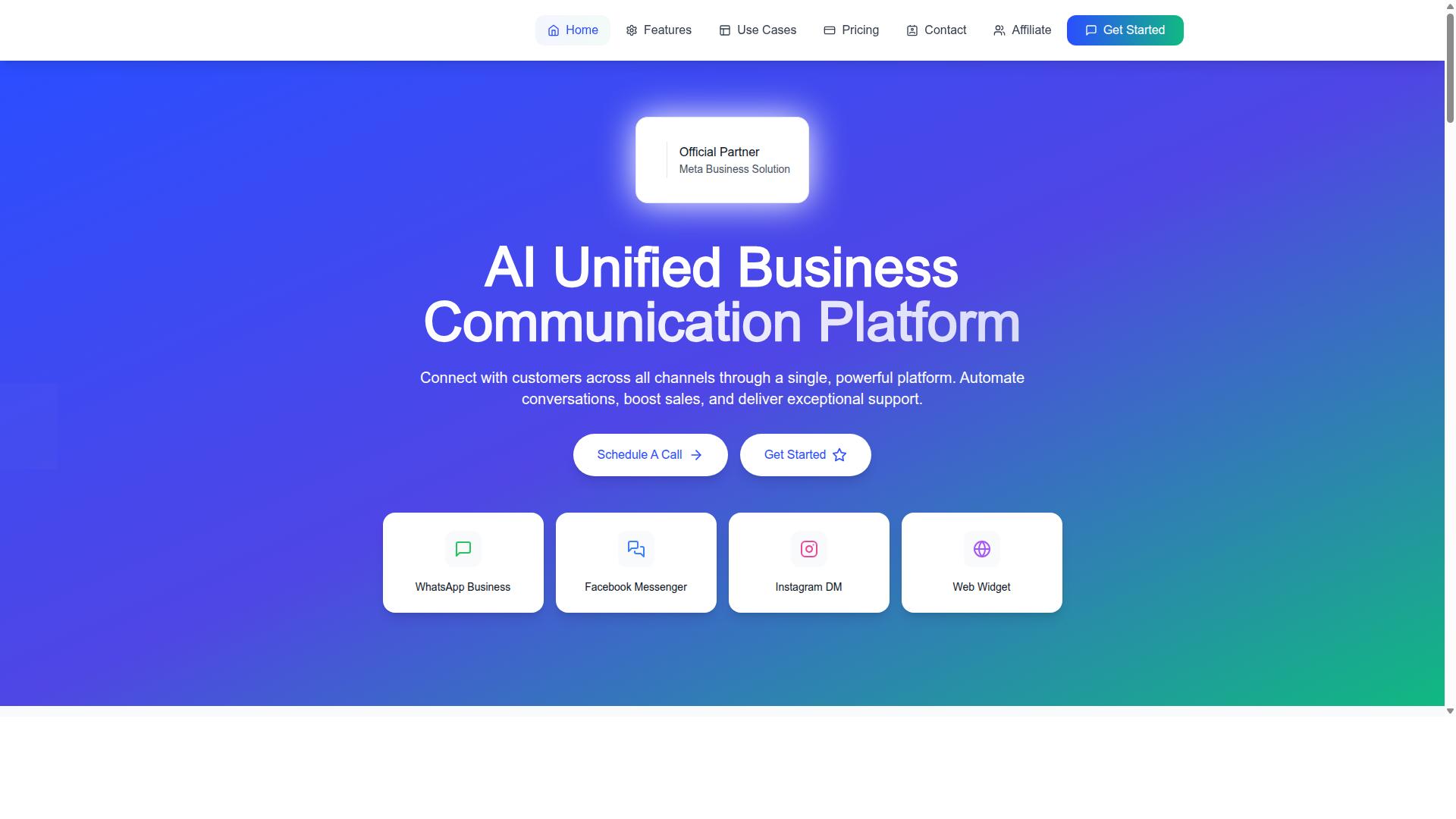
Com.bot is an AI Unified Business Communication Platform that connects WhatsApp Business, Facebook Messenger, Instagram DM, and Web Widget into a single inbox, directly addressing the fragmentation and slow response issues that plague small business customer support.
Several capabilities map directly to the mistakes outlined earlier. WhatsApp Business API integration provides an official, reliable channel. The Unified Team Inbox fixes fragmentation by giving every support agent one place to see and respond to conversations. The Visual Bot Builder uses a drag-and-drop interface, enabling automation without coding. Native Payments for WhatsApp transactions streamline the checkout process inside the chat. Multi-Channel Support keeps every touchpoint connected.
Com.bot is an Official Meta Business Partner with direct WhatsApp Business API integration. It processes 25M+ messages per day and serves 23,000+ active customers. Owned and Managed by Com Bot AI Limited, the platform is built to handle conversation volume at scale while keeping the experience personal.
For a small business struggling with missed messages, slow first response, or manual order handling, these features close the gaps. The unified inbox reduces churn risk from unanswered queries. The bot builder cuts resolution time on repetitive questions. Native payments remove friction from the buying process, improving both customer satisfaction and retention.
Choosing the Right Support Setup for Your Budget and Scale
Your support setup should match your current volume and budget while allowing room to grow, without overpaying for unused features. Many small business customer support mistakes start here: owners either buy a complex omnichannel platform too early, or they stay on a personal inbox long after it has become a bottleneck.
The goal is a help desk that fits where you are today and can scale as ticket volume rises. Use the framework below to match your setup to your stage.
- Solo entrepreneurs: Start with a shared inbox and a basic chatbot for common questions. Keep it simple and free or low cost.
- Growing teams (roughly 3 to 10 agents): Add automation for repetitive requests and analytics to track first response, resolution time, and customer satisfaction.
- Larger operations: Consider advanced routing and SLA management so urgent complaints and escalations reach the right support agents quickly.
Budget follows the same curve. Free tiers suit startups testing their first ticketing system. As volume grows, paid plans become worthwhile because the cost of slow response time and poor communication usually exceeds the software fee.
Consider two examples. A small Etsy seller handling a handful of order questions a day may do fine with a free help desk and a solid FAQ or knowledge base. A 10-person agency juggling email support, live chat, and social media likely needs a paid omnichannel platform with a shared CRM view of each customer journey.
Com.bot is one option that scales across these stages. Its plans start at $149 per quarter for the Silver Plan, $349 per quarter for the Gold Plan (recommended), and $2500 per quarter for Platinum V1. Add-ons cost $10 per month for items such as an additional team member, a social channel, external actions (per 5000), bot triggers (per 25000), or an ecom store. WhatsApp messaging is billed at actual Meta rates with no markup.
The right setup tends to pay for itself through retention. Fewer unresolved complaints means a lower churn rate and stronger customer satisfaction over time.
One final tip: trial platforms before committing, and involve your support team in the decision. The people answering tickets every day will spot gaps in automation, escalation, and tone that a demo will not reveal.
Recommended Resources: